
Work hours from the doors people already use
Employees already scan their face or tap a card to enter the building every morning, yet in many places they then queue at a second machine to clock in. The system turns that same data into working hours. There is no separate time clock to install, and nobody records their time twice.
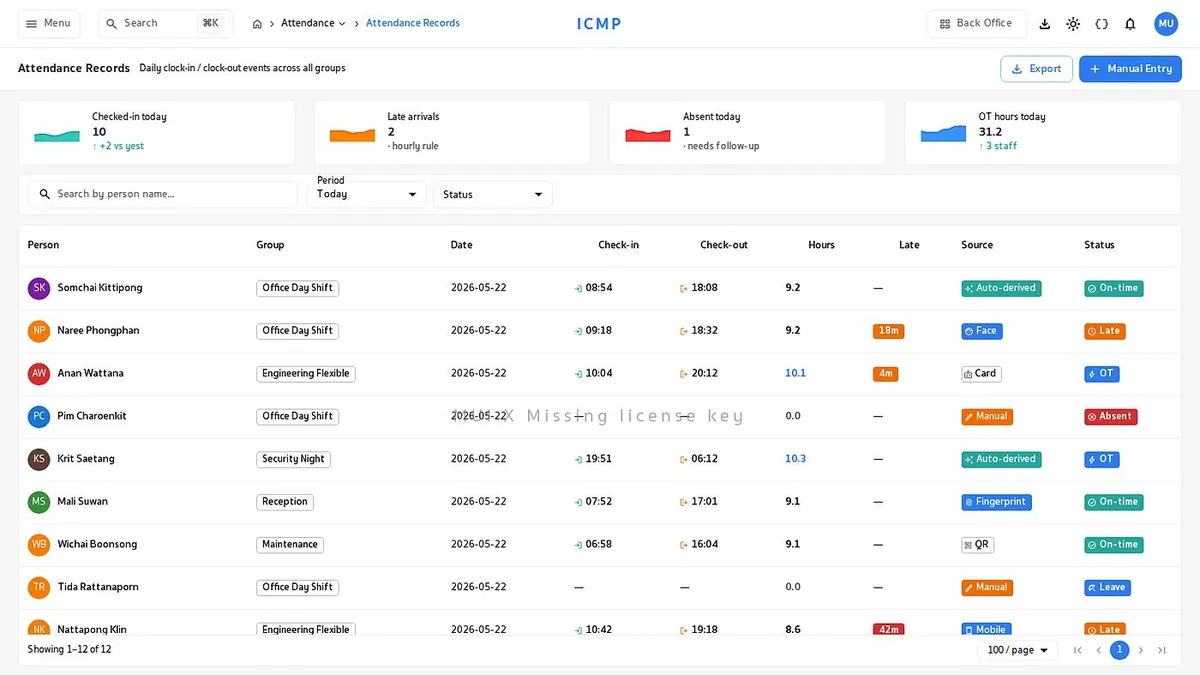
One screen for the whole company. Who is in, who is late, who is absent
Time records flow in as they happen, each with a status: on time, late, absent or on overtime. Supervisors see the picture without waiting for an end-of-day summary.
- 6 ways to record timeCard, face, fingerprint, mobile, QR or an admin entry. Every record names the channel it came from, so it stays auditable.
- Drill into one person instantlyClick an employee to see each clock event and the reader it came from.
- Filter by department and shiftLook at your own team only, or sweep the whole company from one page.
The headline numbers at the top, present, late, absent and overtime hours, keep updating through the day. They are not figures that wait for the evening close.
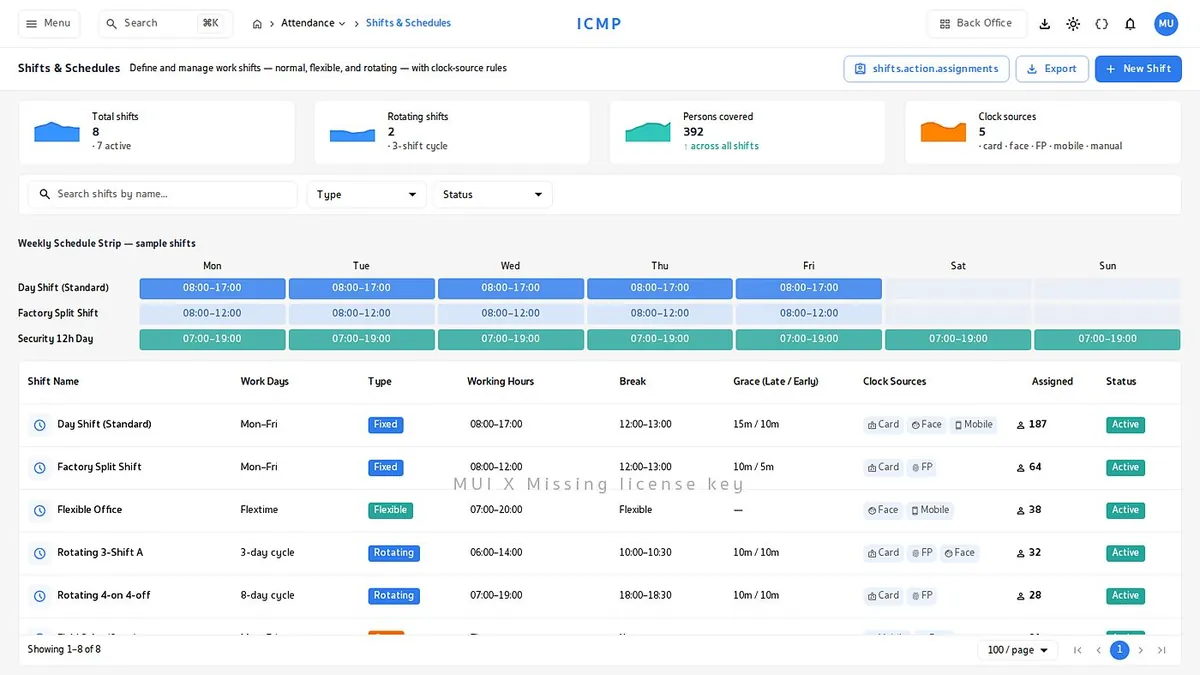
However complex the shift, you can set it up
Fixed hours, flexible by total hours, or rotating by cycle, chosen per employee group. All three are configured from the same page.
- Up to 4 breaks per shiftBreak time is deducted from working hours automatically.
- Grace period before lateSet the grace window per shift. Past that, the record shows late with a reason.
- Overtime calculated for youDaily, weekly and holiday overtime rules run on the Thai labour law criteria you define.
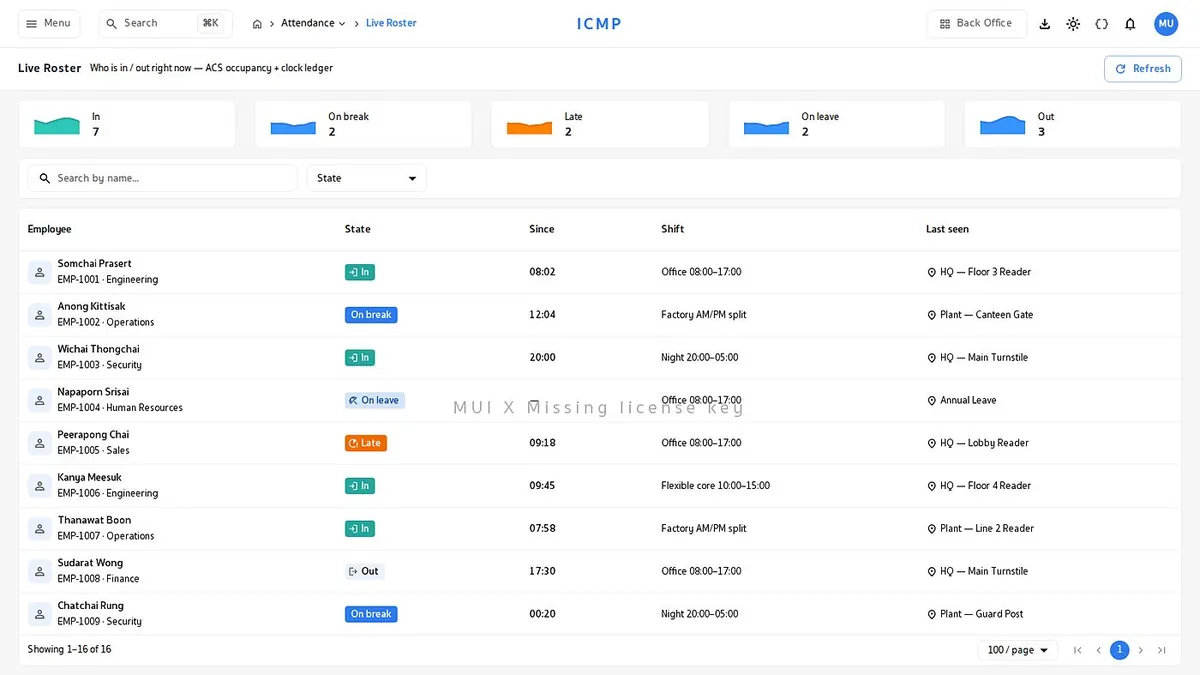
Plan the month and see the whole department in one grid
Build the roster a week or a month ahead, see who is on which shift and where you are short, then swap people around with hours and pay recalculated for you.
- Drag and drop to swap shiftsMove a shift between people in the grid and the system checks the minimum rest hours.
- Spot the staffing gapsThe roster flags which day and which shift is short before the day arrives.
- Assign a whole group at onceSet a shift for an entire department or group instead of one person at a time.
- On the employee side, staff open their own roster ahead of time from a phone, instead of walking over to read the board.
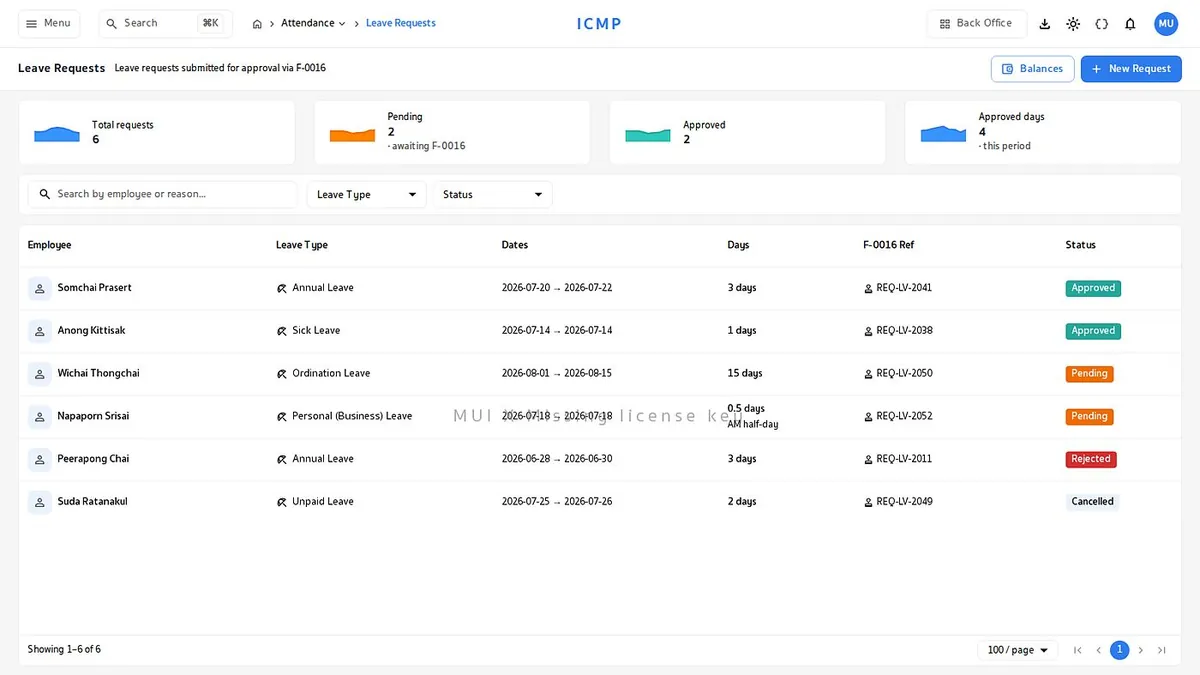
Leave and time corrections, approved step by step
A missed scan happens every month. The question is how you fix it and still keep the record auditable. Staff file the request with a reason from the web or a phone, the direct supervisor, the manager and HR approve in sequence, and every change records who changed what and why.
- Clear leave balancesEmployees see their remaining entitlement by leave type without asking HR.
- Alerts reach whoever has to actPending approvals reach the approver through LINE or email.
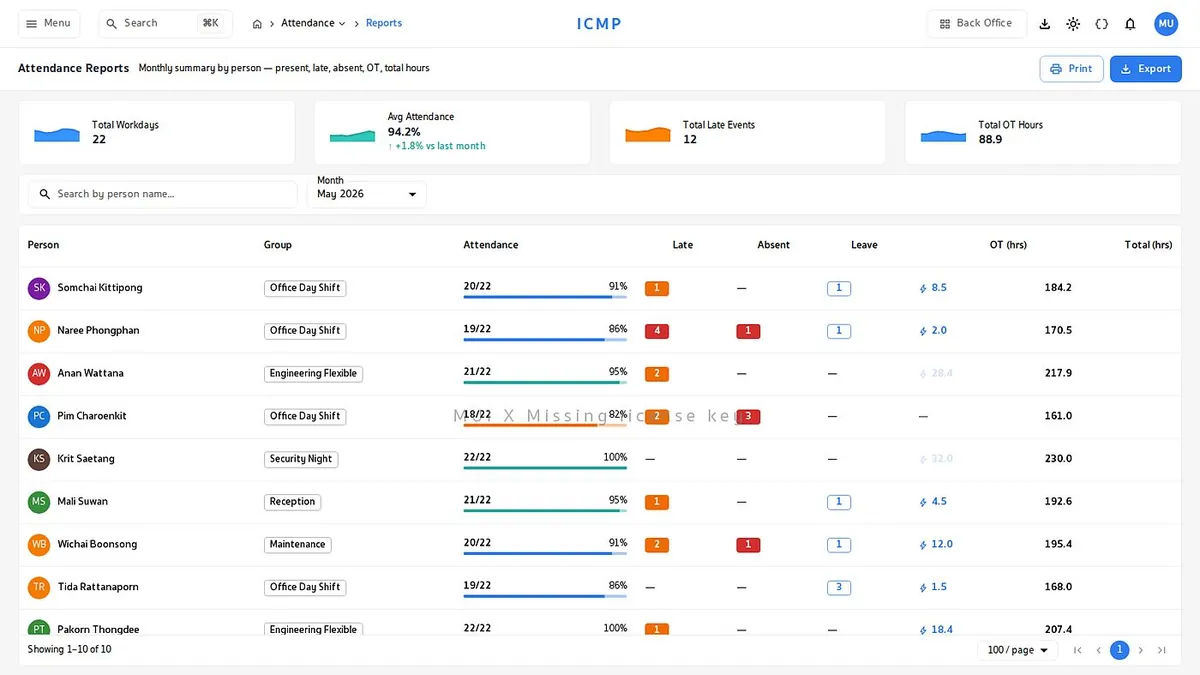
Reports that go straight into payroll
Summarize working hours, late, absence, leave and overtime by person or by department, mapped to the Pay Code rates you set, then export into the payroll system you already run.
- 128 Pay CodesOvertime at 1.5 times, holidays at 2 times, sick leave, personal leave. Rates and conditions are yours to set.
- Several export formatsCSV, Excel and PDF, with any time range and any employee group.
- Department summary tablesCompare attendance statistics across departments to read workforce trends.
- Import historical dataBring records from your old system into one place with a CSV file.
What a standard time clock cannot do
Time from the doors and cameras you already have
The building entry scan and the clock-in are the same data. No extra hardware to buy.
One profile across the organization
Employee details, door rights and time records connect in a single profile.
Thai public holidays ready to use
Load the Thai holiday calendar and the system adjusts time rules and holiday rates on its own.
3 years of history kept
Past attendance data stays ready for audit, with no digging through old files.
Alerts through LINE and email
Absence, lateness or a pending approval reaches the right person immediately.
Self-service on mobile
Staff check their history, file leave and request corrections themselves, which cuts the load on HR.