
The whole site on a 3D map
Your real site becomes a 3D model. The Bang Poo industrial estate is already ported end to end. Events from cameras, doors and sensors appear at their real positions, so an executive reads the whole situation in one look.
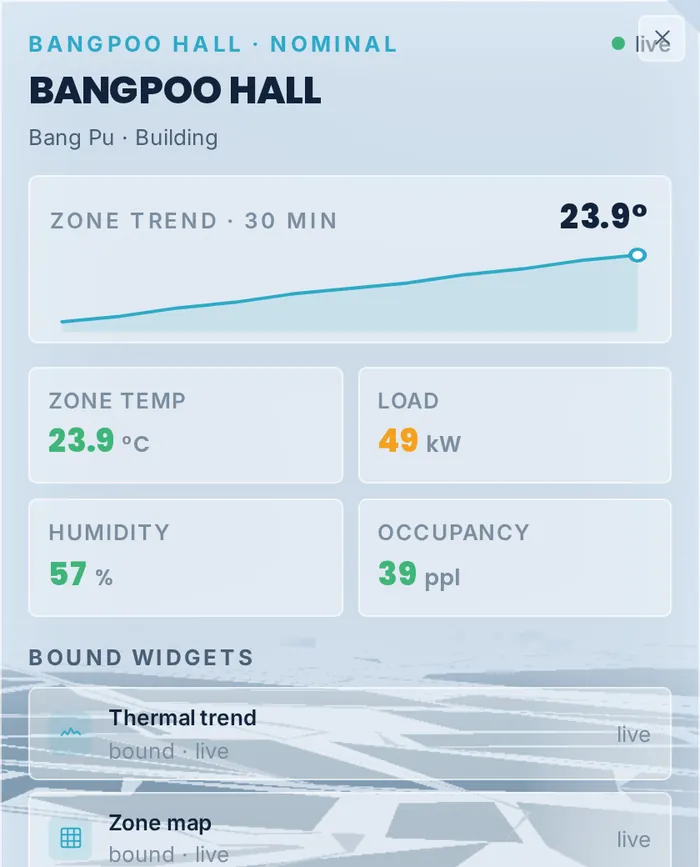
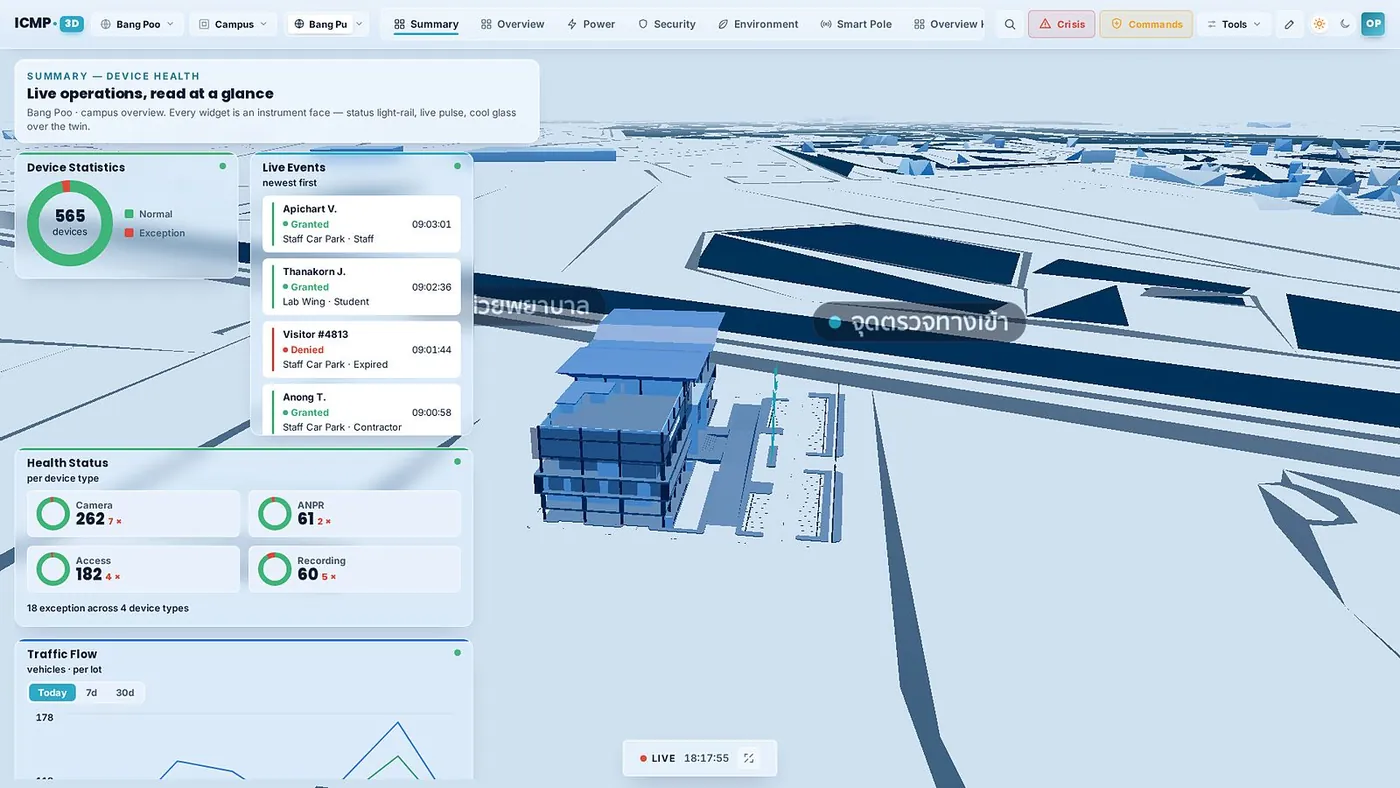
The whole site in one view, events landing where they happen
A model of the real site, with device statistics, system health and access events running live alongside it. Someone who has never used the system before still understands what is happening and where.
- Events stream in real timeCard taps, vehicles at the gate and sensor alerts keep filling the live list beside the model.
- Device health by typeCameras, ANPR, doors and recorders each show healthy and faulty counts separately.
- Five lenses to switch betweenOverview, energy, security and environment. Change the view in one click.
- Crisis modeThe Crisis button pulls the screen into response mode, with the data needed to decide.
- A LIVE marker and the current time sit in the corner at all times, to confirm that what you are looking at is the situation now and not a frozen screen.
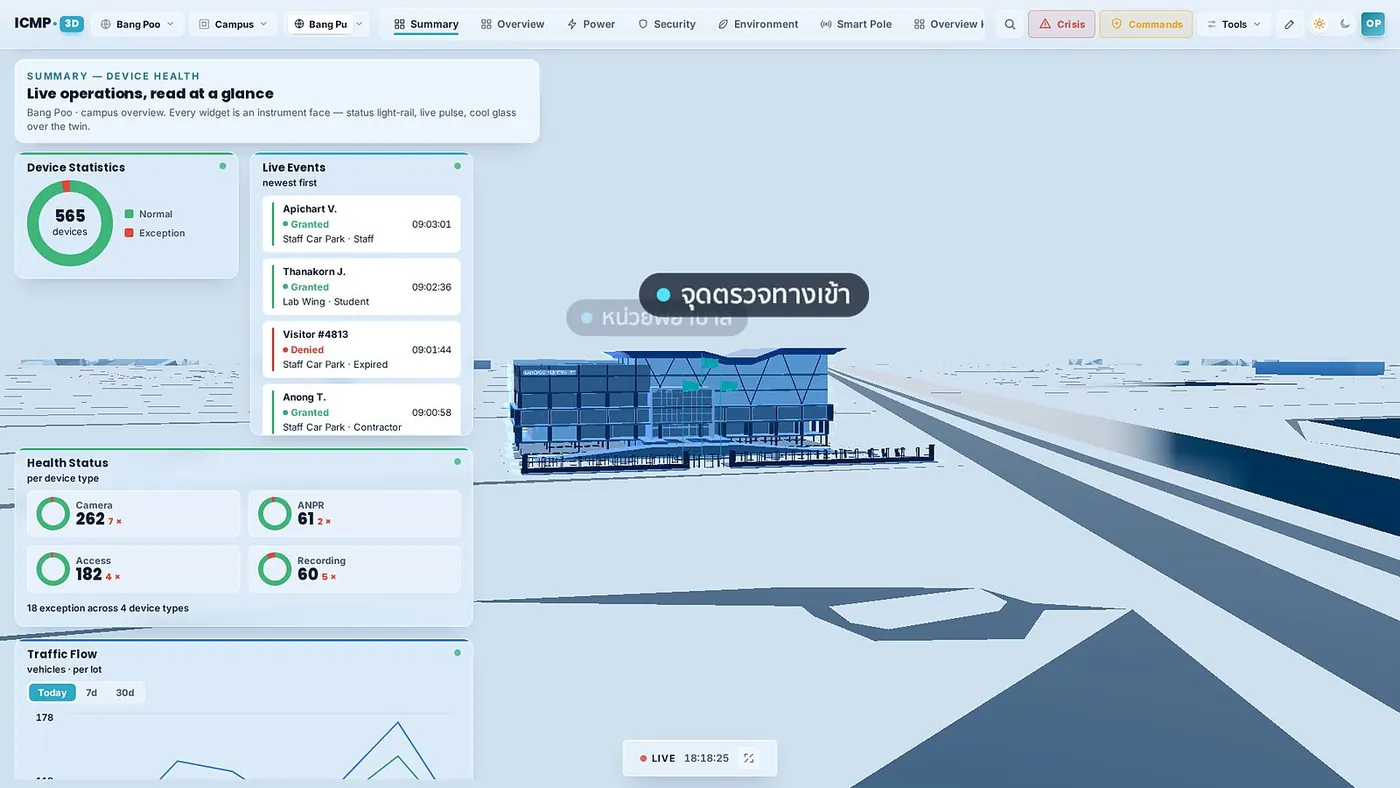
Double click a building and the camera flies in
Pick a building and the view glides in with that building panel open. Zone temperature, power load, humidity, headcount and a 30 minute trend chart appear straight away.
- Commands follow user rightsActions such as cutting a zone signal or making a zone announcement stay open only to authorized roles.
- Drill on into the floor planGo from the site model into the per-floor plan to reach the devices inside a building.
- Back to the full view in one clickFinish with the building, press back, and the view pulls out to the whole site again.
Built for the war room
A real site, not a mock scene
The model is ported from the real site, with buildings and devices where they actually stand.
Works on the video wall
Push the view onto the command center big screen so the whole room reads the same situation.
New sites are a model import
Adding a site is a data import, not a new development project.
Connected to every platform module
Events from cameras, doors, parking and sensors land on the same model.
Widgets bound to the building
Heat trends, zone layouts and the access records of that building open from one panel.
Runs in the browser
Nothing special to install on an executive workstation or on the war room machines.